
How Much RAM Do You Need for Gaming in 2023?
- Callum
- Jun 12, 2023
- 4 min read
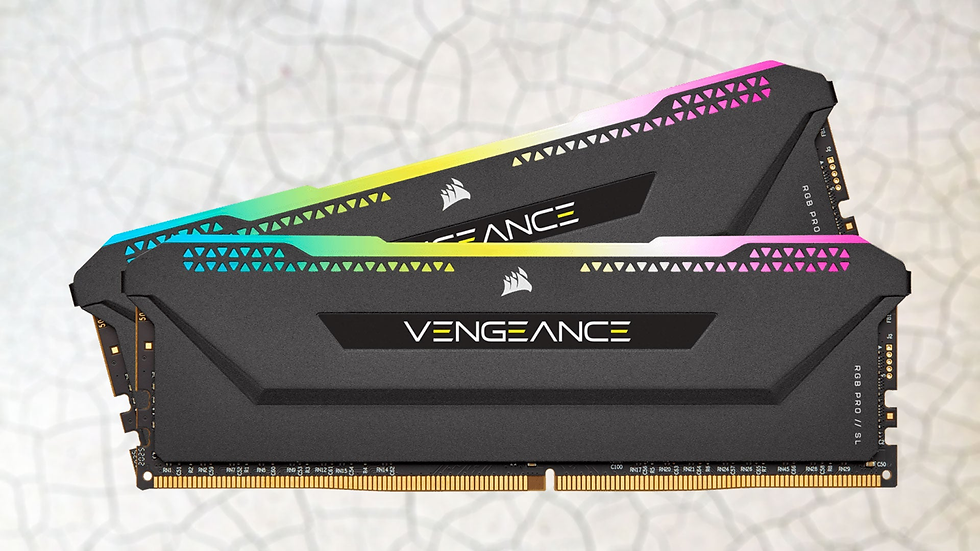
So you're in the early stages of preparing the specs for your new gaming PC, or you simply want to upgrade what you've got at the moment. But how much RAM is enough for gaming now in 2023 and what should you spend on this type of upgrade?
The recommended system requirements for modern games seem to be getting much higher, faster than we've seen in recent times, so to what extent can you "future-proof" yourself from this?
16GB Is The Minimum
Well, spoiler alert. I'm giving you the goods early in this one. Yes, 16GB should be the minimum you're aiming for if you want to keep being able to play the latest games when they come out.
There are, of course, exceptions to this rule - for example, eSports - depending on the title. Games like Rocket League, Valorant, CS:GO, etc which are meant to be played at extremely high refresh rates in competitive play are easy to run by design. While this means they are often visually unimpressive, it does mean that you can save some of your hard-earned cash if this is the priority. 8GB should do the trick, but if you can, try to stretch to at least 12GB. Fortnite will thank you for that.
Why Do "AAA" Games Need So Much RAM?
There are many layers to this question, but mostly, it's because of current-gen consoles. The PS5 and Xbox Series X both use a shared memory system of 16GB, which means that they are dynamically able to utilise 16GB of RAM and/or 16GB of VRAM (video memory). The difficulty this poses to PC's is in optimisation. Games consoles are so homogenous and consistent (everyone has the same hardware and software) that the developers can really dial in the minutiae, much like how Apple products work - like, how can the latest version of iOS run smoothly on a 6 year old phone?
The point being, when you're able to hone in so many specifics because you know everyone using the console will be guaranteed the same exact exprience, it makes it much easier to tune the game to run well within the bounds of its hardware limitations. Think back to something like Uncharted 3 or The Last of Us, and how the hell did a game that visually impressive run on a PS3?
And in the case of PCs, because there is so much hardware variation between users, there's really only so much you can do in terms of optimising for that. So, what happens in a lot of cases - particularly within the last couple of years and, it seems, on into the future - is that games that are ported from consoles to PC will often use far more of your system resources on PC than they would for the equivalent fidelity on console.
A perfect example of this recently is Hogwarts Legacy, which recommends 32GB of RAM on PC for playing at 1440p Ultra settings, while it makes do with just 16GB on console while achieving 4K resolution.
So I Should Get 32GB?
Well... not necessarily. Again, it all depends on what you actually want from your PC and whether you feel you'll be able to afford upgrading again in the future, whenever it becomes a problem.
From personal experience, and what recommendations suggest, if you're only going for a mid-range sort of PC where you expect to be able to play at 1080p maxed out but not necessarily that bothered about higher resolutions - or, you're happy to lose some of those Ultra settings to increase stability - then you still really don't need more than 16GB. Games like Hogwarts Legacy have demonstrated that, on occasion, we're getting close to the point where 16GB is saturated, but it's still few and far between at this time.
On the other hand, there's two main situations in which I would personally stump for 32GB, as I now have in my personal build. Those are, firstly, if you play in 1440p or higher resolution. I'm not sure exactly why it is that this has such an effect on system memory but it just does, and some games already recommend 32GB for 1440p, let alone 4k resolution. Also, if you can afford a GPU capable of 4k resolutions, you can definitely afford the extra £20-30.
The other reason is if you like modding your games. A personal experience for me that forced my hand in upgrading was playing Cities: Skylines. Over time, I added more and more custom assets and it got to the point where RAM utilisation was so extreme I couldn't even load into my world any more. I upgraded from 16GB to 32GB and found that in that, world, the game was using a full 24GB of RAM, which is absolutely unheard of for me. As soon as you start filling your game with custom assets, all the system requirements go firmly out of the window.
Conclusion
In essence, there are three different tiers:
eSports gamers, or people who already have a PC with something like 8-12GB, depending on what you play it's probably about time you started looking at upgrades now.
Those of you with mid-range PCs, up to something in the region of £600, you're unlikely to be playing games at much more than 1440p anyway, so unless your circumstances change that (like my example of Cities) then you're probably okay with 16GB
If you're building a PC that is expected to run games in 4k or other similar high resolutions, it's probably about time to look towards 32GB for your usage. You'll start to notice pretty quickly that it was worth the investment.


Comments