
Building a Cheap Gaming PC in 2023 - The Complete Guide
- Callum
- May 1, 2023
- 11 min read
Updated: May 3, 2023

More than ever, a Gaming PC is a luxury commodity. The past few years have placed a tremendous pressure on the tech industry as a whole, and we're still seeing the results of that pressure today - a top-of-the-range gaming graphics card could potentially set you back in excess of £2,000, an amount more than 4x the cost of buying a PS5 or Xbox Series X (both of which feature cutting edge technology and run almost all modern games at 4k resolution), so how can you possibly go about saving money and working to a tight budget if you really want a PC to play your games on?
I have spent much of the past decade working under the same restriction, and have had a lot of fun working my way up the ladder in terms of PC performance while trying to pinch pennies as much as possible, and I've learned a lot of important do's and dont's along the way! So, first of all, let's jump into the why - why should you even bother?
Why Should You Build a Budget PC in 2023?
As mentioned in the introduction, when considering the increasingly extravagant cost of parts and the relatively low price of games consoles both new and used, it's hard to justify a PC when you feel like you're going to have to compromise to make it work. But I'm here to tell you that it is doable, and I'm going to explain how, piece by piece.
When you're on a tight budget, it would be very easy to just hop on eBay and spring for the first thing that fits and jumps off the page, but cheap gaming PC's are a minefield! It's a known fact that eBay listings (lump in Facebook Marketplace and Gumtree too) lie, and it's far too easy to end up being disappointed by the performance in comparison to what was promised. Buyer protection is great if you buy something broken, but not if you just didn't quite understand what you were buying. I have seen too many listings with the usual labels - ULTRA FAST, or something along those lines, and it ends up being a 12-year-old Dell motherboard and processor stuck in a fancy looking case with lots of RGB lighting, and a bottom of the barrel graphics card that, in reality, will struggle to play SimCity 2000.
So that's why I believe you should do it yourself! It's much easier than you would think, and it's important for this information to be out there to empower you to do it yourself, get the exact right specification for your needs, and to save a bit of cash in the process!
How To Get the Best Deals on PC Parts
So here we go! I'm not going to go into too much depth with what the individual parts mean here, but if you're reading from the future, there should be a guide available and linked for every individual part of your PC. What I mostly want to cover here is the ways you can ensure you're getting the best value for money.

What can I skimp on?
I'm expecting this to be a very common question, and it's something I've spent a long time trying to work out through trial and error myself. Depending on circumstances, you can skimp on almost anything, the key word being almost. I'm going to tackle this by making very clear what you must never skimp on - that being storage and, even more vitally, the power supply or PSU. Storage, whether that be a mechanical hard drive or a Solid State Drive (SSD) you should generally avoid buying used, the exception being if they have been used only for a short amount of time (up to one or two years) and are in very good condition. Even more important, though, particularly for a PSU, is do your research and don't cheap out, don't go for a no-name brand and especially don't get a used no-name brand. This is because cheap PSUs have a tendency to fail with potentially explosive (literally) consequences.
To delve into a little more jargon, cheap power supplies are often mislabeled with much higher wattage ratings than they are actually capable of delivering, and if you actually try to run your computer at the rated wattage of a poor quality, mislabeled PSU, the (often cheap) capacitors can explode and cause a power surge that has the potential to take out other components of your computer. Motherboards and graphics card have been known to be particularly at risk of this because the power is run directly to them from the PSU's 12v rail.
You should avoid skimping on cheap or heavily used storage because storage drives have a maximum lifespan, a limited number of total writes, or how many times the total capacity of the drive is written with data. Naturally, a storage drive with many years of usage will not have anywhere near as long to go, and it may not be very reliable.
PSU Tier List
GPU Mag has created a tier list for PSUs from best to worst, so when you're looking to buy, always have a look on here and make sure you're confident in your choice before you pull the trigger: https://www.gpumag.com/psu-hierarchy/
Avoiding a CPU Bottleneck - How Many Cores for Gaming?

If you're reading from the future, there will already be a guide for picking the right CPU for your usage, so go and check that out for a more specific deep-dive into CPU performance and how that affects the choices you make.
This is something I find very interesting and seems to be becoming more of a concern now that games are progressively getting harder and harder to run on PC. A couple of years ago I would have said that 4 cores was almost certainly enough for gaming, at least for 1080p gaming on a budget, and you could probably get away with a 2nd or 3rd generation Intel i5. These days, it very much depends on the game.
If you're just trying to get into PC gaming for the various eSports titles like Fortnite, Rocket League, Valorant, RainbowSix, etc. you don't necessarily need to think too hard about this. These games are designed to be easy to run so that players are able to play at high refresh rates (144Hz and up are becoming ever more popular in eSports) so unless you have a very expensive, very high refresh rate monitor you don't need to waste money buying a top of the range CPU. Statistically, it's likely that you don't, because according to the Steam Hardware Survey, more than 64% of gamers are still running 1080p displays as of March this year. At this resolution, it's more likely that your CPU is going to be a bottleneck, but if you buy wisely you can avoid this potential issue.
But how many cores do you need? Well, most gaming PCs now are using 6 cores at least, and certainly new, AAA games are going to be cutting it close on 4 cores. The minimum requirements for the new Jedi: Survivor and Hogwarts Legacy list a Ryzen 5 1400, a 4-core, 8-thread CPU. But mind, that's for 720p resolution. Most games now list 6 cores as the recommended, and with the way they're priced at the moment, it's hard to justify imagine why you wouldn't follow that trend.
I've noticed that as of right now (May 2023) prices of first-gen Ryzen CPUs in the UK have plummeted, which makes for some incredible value for money. My personal recommendation at this moment if you're on a strict budget is the Ryzen 5 1600, which is 6 cores, 12 threads, and currently costs about £30 used (taken from eBay). That's incredible performance for the money! By comparison, the Intel i7 3770 has been a mainstay of gaming PCs for about a decade, and many still actually use it to this day - it's surprisingly useful, especially if you're not bothered about playing the newer games. The i7 is the same price as the Ryzen 5 1600, and the Ryzen is up to 50% faster in the majority of games!
If you can make the stretch, a Ryzen 5 3600 is a considerable upgrade on the 1600, is available for around £60 and, crucially, is compatible with the same AM4 socket motherboards, which could be a huge cost saving if you're trying to save some money but trying to build as forward-thinking a PC as you can, within reason. Use a tool like UserBenchmark's Comparison Tool to get a rough idea of performance in relation to other CPU's if you find a deal that catches your eye, and be sure to look for real world benchmarks on YouTube for comparisons within games, as those can be far more useful.
A quick note on what to avoid -
Don't buy anything Intel Core2Duo or Core2Quad, these are too old and lack the necessary instruction sets to play most modern games. The same goes for AMD Athlon or Phenom from the FM2+ chipset. These are practically unusable now. In terms of CPUs that are still usable but just not worth it, avoid AMD FX processors with the exception of the FX8350 and above if you happen to find it at an extremely good price, and generally avoid Intel Core processors between 1st and 3rd generation. They're just too slow for the money these days.
Graphics Cards - A Scalper's Paradise

GPU shopping has been a hellscape for a while now, and unfortunately it doesn't look as though this is going to change any time soon. Thankfully, though, the situation has improved dramatically since the latest Bitcoin crash, meaning that if you're looking in the right places you can definitely get some good value for money even in these trying times.
If you have something like £300 and above to spend on a GPU alone, I don't have much to add here. Make sure to read my article on GPUs for a deeper dive into relative performance, VRAM and performance per £. The most important thing to note here is that prices of new GPUs have mostly settled at or below RRP in the UK, so you're not necessarily getting hosed when buying a GPU new any more, but just do your research into your potential options to make sure there's not better value elsewhere.
Since this article is focused on value above all, a few notes on that in particular. The latest generation (40 series) of NVIDIA GPUs is a big AVOID at current prices and, for the most part, that extends to the 30 series too. Cards like the RTX 3050 and 3060 are really a dreadful value in the context of what they offer compared to similarly priced cards on the used market.
This leads me nicely into a few recommendations - there is a trend at the moment of NVIDIA cards remaining well overpriced in the used market, so look to AMD for the value proposition. Looking at used prices on eBay, at just under £300, the NVIDIA RTX 3060 offers equivalent performance to the £150 AMD RX 5700XT. Seriously. I encourage you to read that sentence again. Despite having less VRAM, the now just about 2 generation old RX 5700XT is keeping up with a GPU almost twice the price! Yes, the RTX 3060 will offer better ray tracing performance but if you're expecting to get a good ray tracing experience at this price point I'm afraid you're looking in the wrong place - a PS5 or Xbox Series X is really the only viable option here.
If you can actually spend £300 on a GPU, the best option at this price is the AMD RX 6700XT. It has a substantial 12GB of VRAM and offers roughly 30% more performance than the RTX 3060.
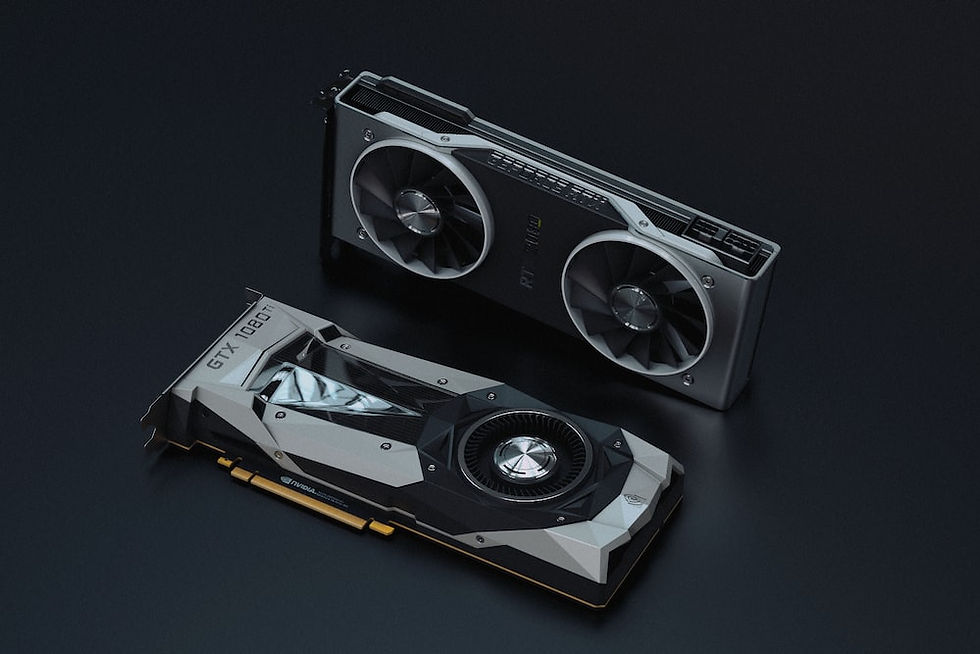
Stepping down a notch to around the £200 mark, the most impressive deal I've seen recently is a used RTX 2080 8GB. Yes, it might be somewhat hampered in the next few years by its 8GB VRAM but at this price point that is likely going to be a consideration for any GPU, and at 1080p it's much less of a problem, if at all. Similarly to the 6700XT, this somehow still manages to beat the RTX 3060 by 15-25% depending on the game, delivering an unbelievable value for money, and it manages that at a fairly reasonable 225W power consumption, meaning you don't have to shell out for a very high capacity PSU.
8GB VRAM is probably the minimum you should be aiming for with the current trends in PC gaming, which leaves you with a few options for budgets of around £100 for this part. The GTX 1070 can be had for about £100 and will deliver a pretty reasonable high-refresh experience at 1080p (up to 144hz) depending on the settings, and is very quiet and efficient to boot. It's also still supported by NVIDIA for the latest driver updates which helps.
That brings us to the Value King in mid-2023 - the AMD RX 480 8GB. When shopping for this model, keep in mind that there are two variants, a 4GB and 8GB. Don't buy the 4GB model, it's just not enough any more. The RX 480 8GB barely skips a beat at 1080p for 60fps gaming, and can be had for a ridiculous £60 on the used market. WHAT!? This PC is shaping up nicely!
How Cheap Is Too Cheap For a Motherboard?
This is going to be a fairly quick and easy answer. Basically, do your research on compatibility using something like PC Part Picker, which will automatically flag up if any parts you have selected are incompatible, it's a really handy tool.
Following that, make sure you're forward planning the best possible upgrade path that you can fit within the budget. For example, if you're going with the Ryzen 5 1600 suggested earlier, try to look for a B450 chipset motherboard because it will support 1st generation Ryzen out of the box but, later down the line, will also support 5th generation Ryzen with an update - and, by the way, the performance uplift from 1st to 5th generation is substantial. So that's the sort of method that's going to save you money here.
Look, motherboards really come down to your personal preference on looks and features. If you don't care about overclocking or having on-board WiFi or built-in RGB controls, it doesn't matter that a cheap A320 motherboard won't have much scope for that. I'd really say that the most important thing here is to make sure you have a decent upgrade path if you don't expect to be able to spend another few hundred a couple of years down the line.
The only other thing I'd add to this is to be a little bit more careful when it comes to purchasing a used motherboard. They are less hardy than a CPU, for example, and there's much more chance of you getting a faulty unit. Pay attention to the condition in any photos, and ask to see it running if at all possible.
How Fast is Fast Enough When it Comes to RAM?
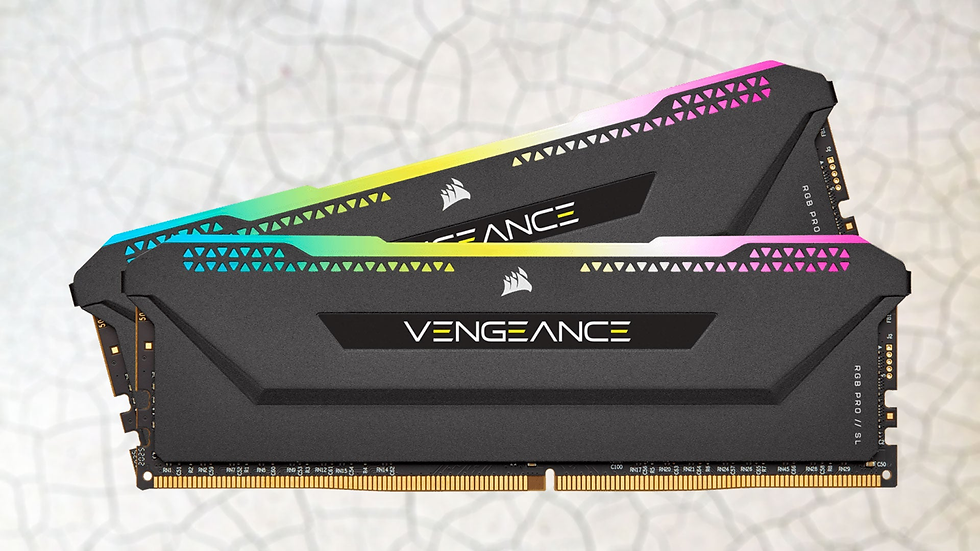
Good question! And to be quite honest, when you're on a budget it really doesn't matter. Maybe you want to get something that fits the right aesthetic you're going for, like a Vengeance Pro with a nice looking heatsink, but when you're not on the bleeding edge in terms of the very latest CPU & GPU, the performance difference of various speeds is really within a couple percent of each other, so I wouldn't get too caught up with it. If you have a good enough motherboard, you can always overclock the RAM if you want to squeeze an extra little bit of performance out of it.
Capacity is really far more important here. As you'll see in my blog post entirely dedicated to RAM and choosing the right one, you should not go any lower than 8GB and, ideally, aim for 16GB. It won't cost much more than about £30 and will mean the difference between most modern games being playable or being a stuttering, headache causing mess.
Take This Guide to the Battlefield!

Now it's time to apply this information in the real world. If you follow my advice and really take the time and effort to scour the web for the best deals, you've got options mentioned here for a computer that will comfortably run new games in 1080p resolution at 60fps for something like £200, going up to a 1440p beast for somewhere in the region of £500. That's amazing!
Remember the context - if you want to purchase a new NVIDIA graphics card that will compete with a PS5 for fidelity and performance, you could be spending almost £2,000. But if you do it right, you can build a PC that will do anything you want it to do, tailored specifically to your needs and have money left over for three PS5's if you really wanted to!
Remember, if you're feeling nervous about the process of assembling your new PC, come and visit Kronos Digital. I work online and in store, and can provide a PC building service for peace of mind. If you want more information on that, just send an enquiry on the website and I'll work with you to get whatever you need.


Comments